
iPhone and iPad app · Utilities
Interpupillary Distance Meter
Estimate your pupillary distance with your iPhone or iPad.
IPD Meter by Ubicolor estimates pupillary distance (PD): the distance between the centres of your pupils, in millimetres. It uses the front camera and face tracking on a compatible iPhone or iPad. Version 1.2 adds separate left and right readings alongside far and near estimates.
4.6 / 5 from 513 ratings · US App Store · checked US price: $0.99. Prices and availability may vary by region.

Screenshots
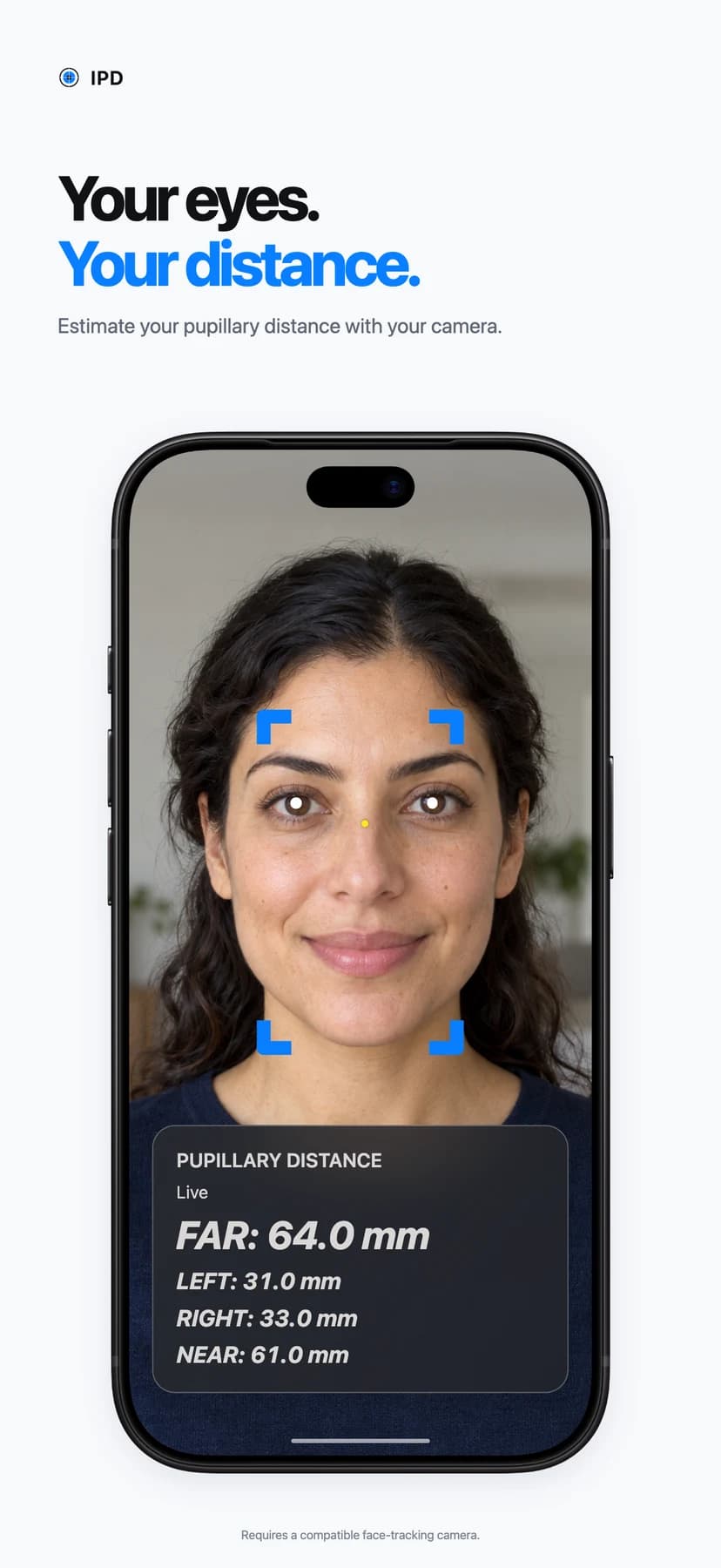
Interpupillary Distance Meter in use
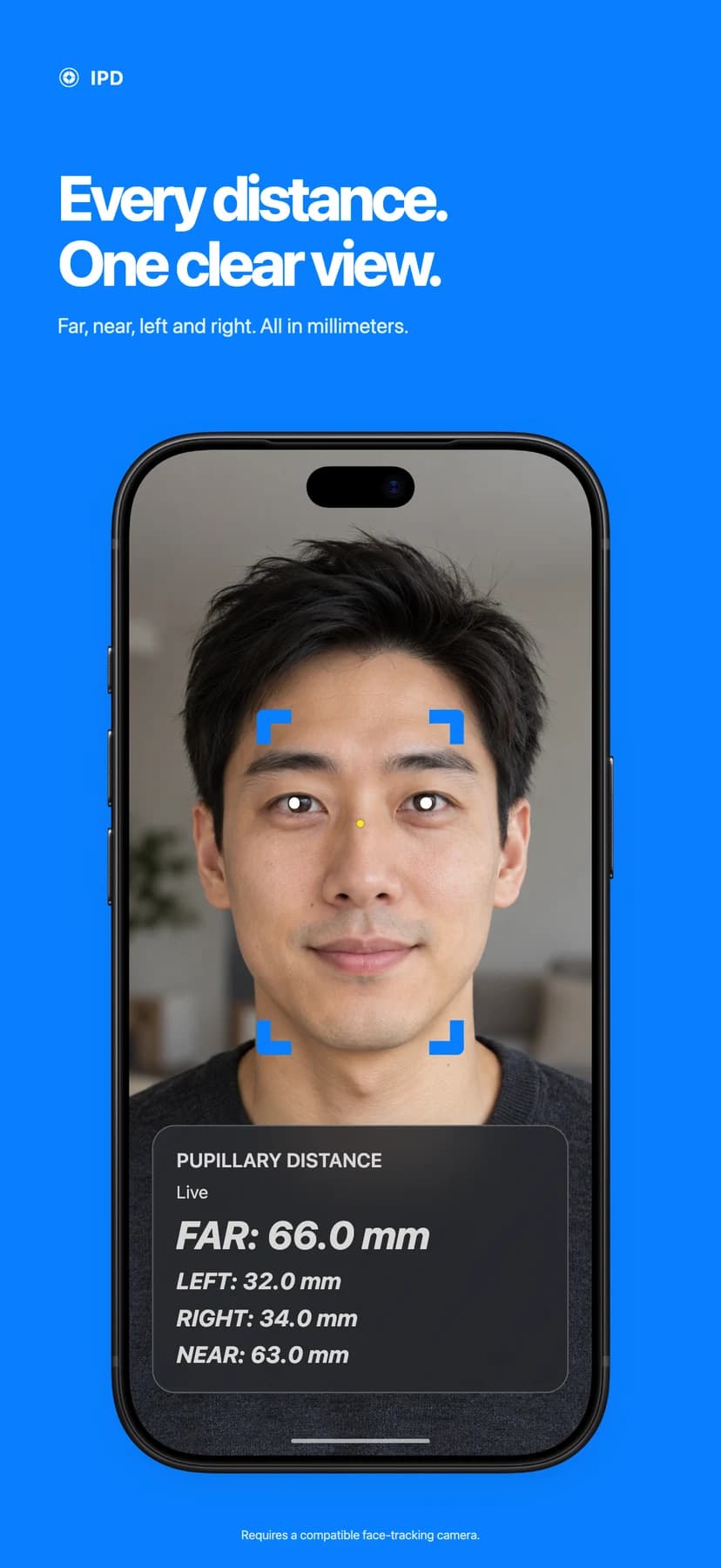
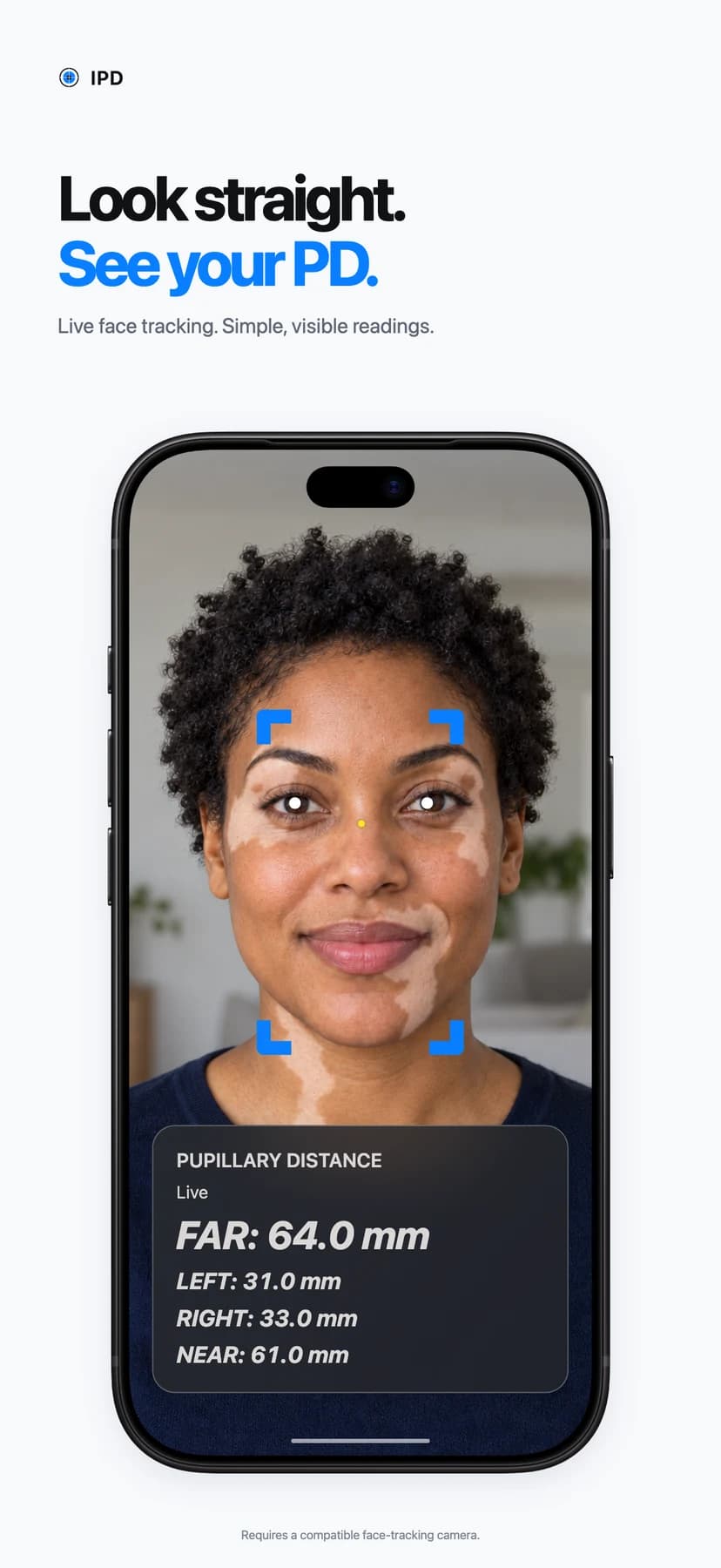
App preview artwork with illustrative readings.
What it does
Simple, and does the one job well
Far and near estimates
See both readings together in millimetres. The near value is estimated from the far distance.
Left and right readings
Separate values for your own left and right eyes, smoothed over recent readings for a steadier display.
Live face tracking
Visible pupil markers help you keep your face in view while the readings update.
A refreshed interface
The Liquid Glass design keeps large, readable measurements at the bottom of the screen.
Nine languages
English, French, German, Italian, Spanish, Brazilian Portuguese, Japanese, Korean and Simplified Chinese.
Compatible iPhone and iPad
Requires iOS or iPadOS 17.6 or later and a TrueDepth camera that supports face tracking. Camera permission is needed to measure.
Tips for the best result
- Remove your glasses and keep both eyes visible.
- Look straight ahead with your face centred in the camera view.
- Treat the readings as estimates. Confirm measurements with an eye care professional before using them to order prescription glasses.
Getting started
How to measure pupillary distance with your iPhone or iPad
Pupillary distance (PD), also called interpupillary distance (IPD), is the distance between the centres of your pupils, expressed in millimetres. IPD Meter is an iPhone and iPad app by Ubicolor that estimates this distance using the front camera and ARKit face tracking.
Open the app and allow the camera
Use a compatible iPhone or iPad with a TrueDepth camera. Allow camera access when prompted. If you previously declined, enable camera access for IPD Meter in Settings.
Remove your glasses
Keep both eyes visible. The app can ask you to remove glasses when they obscure tracking.
Face the camera
Hold your device at eye level, keep your head centred and look straight ahead. Keep your face in the camera view while the pupil markers track your eyes.
Read your PD in millimetres
Far and near estimates update live. In version 1.2, left and right values average recent readings for a steadier display. If tracking stops, wait for the Live status before taking another reading.
Understand your readings
Far, near and monocular PD explained
- Far PD
- The app estimates the distance between the two tracked pupil positions in three-dimensional space and displays it in millimetres.
- Near PD
- The near value is an estimate calculated as far PD minus 3 mm. It is not a separate measurement while you focus on a near object.
- Left and right PD
- In version 1.2, each side is estimated from the tracked pupil to a nose-bridge reference, horizontally. Left and right always refer to your own eyes. Because the method differs from far PD, the two values may not add up exactly to the far reading.
Which devices work?
Measurement requires a TrueDepth camera that supports ARKit face tracking, plus camera permission. Having a front-facing camera alone is not enough. Version 1.2 requires iOS or iPadOS 17.6 or later; the current 1.1 listing requires iOS 12.0 or later. The app checks face-tracking support when it opens.
What to know about accuracy
The readings are estimates from camera tracking. Displaying a decimal place does not establish accuracy to 0.1 mm. Head position, visibility of the eyes and tracking quality can affect the result. We have not published a reference-measurement validation study. Confirm your PD with an eye care professional before relying on it for prescription glasses.
Your camera, your device
How IPD Meter handles camera and face data
Camera access is used for live measurement. Here is what the app processes and retains.
Camera and face processing stay on your device
IPD Meter uses Apple's ARKit to track your face and estimate pupil positions. Its bundled glasses-detection model also runs on the device. The app does not upload camera images, face-tracking data or measurements to Ubicolor or an external measurement service.
No saved measurement history
The app keeps the current readings and temporary tracking samples in memory to display and smooth results. It does not save a face-photo library or measurement history to disk. The last reading can remain visible during a tracking interruption; look for Live before using a new reading.
No analytics or advertising integration in the app
The app does not include an analytics or advertising SDK. Camera work pauses when the app becomes inactive. This website has its own cookie and analytics choices, described in the website privacy policy.
Support is your choice
If you email support, we receive the details you choose to send so we can reply. A device model, system version and description of the problem are usually enough. Please do not send face photos.
For this website’s cookies, analytics and contact forms, read the website privacy policy. For app questions, email IPD support.
Questions
Pupillary distance app: common questions
Can I measure my pupillary distance with an iPhone or iPad?
Yes, IPD Meter estimates pupillary distance using a compatible device's TrueDepth camera and ARKit face tracking. Allow camera access, remove your glasses, centre your face and look straight ahead. A front-facing camera alone does not establish compatibility.
What is the difference between single and dual PD?
Single PD is one value for the distance between your pupils. Dual or monocular PD gives separate left and right values relative to the nose bridge. IPD Meter 1.2 adds separate left and right estimates; the labels refer to your own eyes.
How does IPD Meter calculate near PD?
The app estimates near PD by subtracting 3 mm from the far reading. It does not independently measure near PD while you focus on a nearby object.
How accurate is a camera-based PD measurement?
IPD Meter provides an estimate, and results depend on face tracking, head position and eye visibility. A value displayed to one decimal place is not a guarantee of 0.1 mm accuracy. We have not published a validation study against reference measurements.
Can I use the result to order prescription glasses?
Confirm your pupillary distance with an eye care professional before relying on it to order prescription glasses. IPD Meter provides camera-based estimates and does not replace a professional measurement or an eye examination.
Does IPD Meter upload or save photos of my face?
No. The app processes camera and face-tracking data on your device. It does not upload face images or measurements, save a face-photo library, or keep a measurement history on disk. Current readings and temporary samples are held in memory while the app runs.
Why does the app ask me to remove my glasses?
Glasses can obscure the eyes and affect tracking. IPD Meter uses a bundled on-device model to detect glasses and may ask you to remove them. Keep both eyes visible while measuring.
Is IPD Meter available for Android?
IPD Meter by Ubicolor is an iPhone and iPad app. There is no Android version. Measurement requires a compatible Apple device with TrueDepth face tracking.
What is new in version 1.2?
Version 1.2 adds separate left and right pupillary-distance readings, a refreshed Liquid Glass interface and support for nine languages: English, French, German, Italian, Spanish, Brazilian Portuguese, Japanese, Korean and Simplified Chinese. The page previews 1.2; check the App Store for availability.
By Ubicolor · Page updated · More about our app development work
Support
Need a hand?
Need help with IPD Meter? Email us with your device model, iOS or iPadOS version, and a description of the issue. Please do not include face photos.